Monitoring Reimagined
Everything you need to sleep soundly while your jobs run.
Heartbeat (Dead Man's Switch)
Simple HTTP pings to track job execution. We detect when your jobs go silent.
Scheduled Job (Cron)
Define expected run times using standard cron expressions. We alert if a job doesn't run on schedule.
Traffic Monitor
Track frequency and volume. Ensure queued jobs or high-traffic events meet a minimum required throughput.
Multi-Channel Alerts
Slack, Discord, Pushover, Email, and Webhooks. Get notified your way.
Public Status Pages
Beautiful, customizable status pages to share your uptime with users and stakeholders.
Duration Tracking
Measure how long your jobs take. Spot performance regressions before they impact users.
Our Monitors
Dedicated tools tailored for every type of background task.
Free Developer Tools
Useful mini-tools to help with your daily dev workflows.
See it in Action
A clean, intuitive dashboard to monitor all your jobs at a glance.
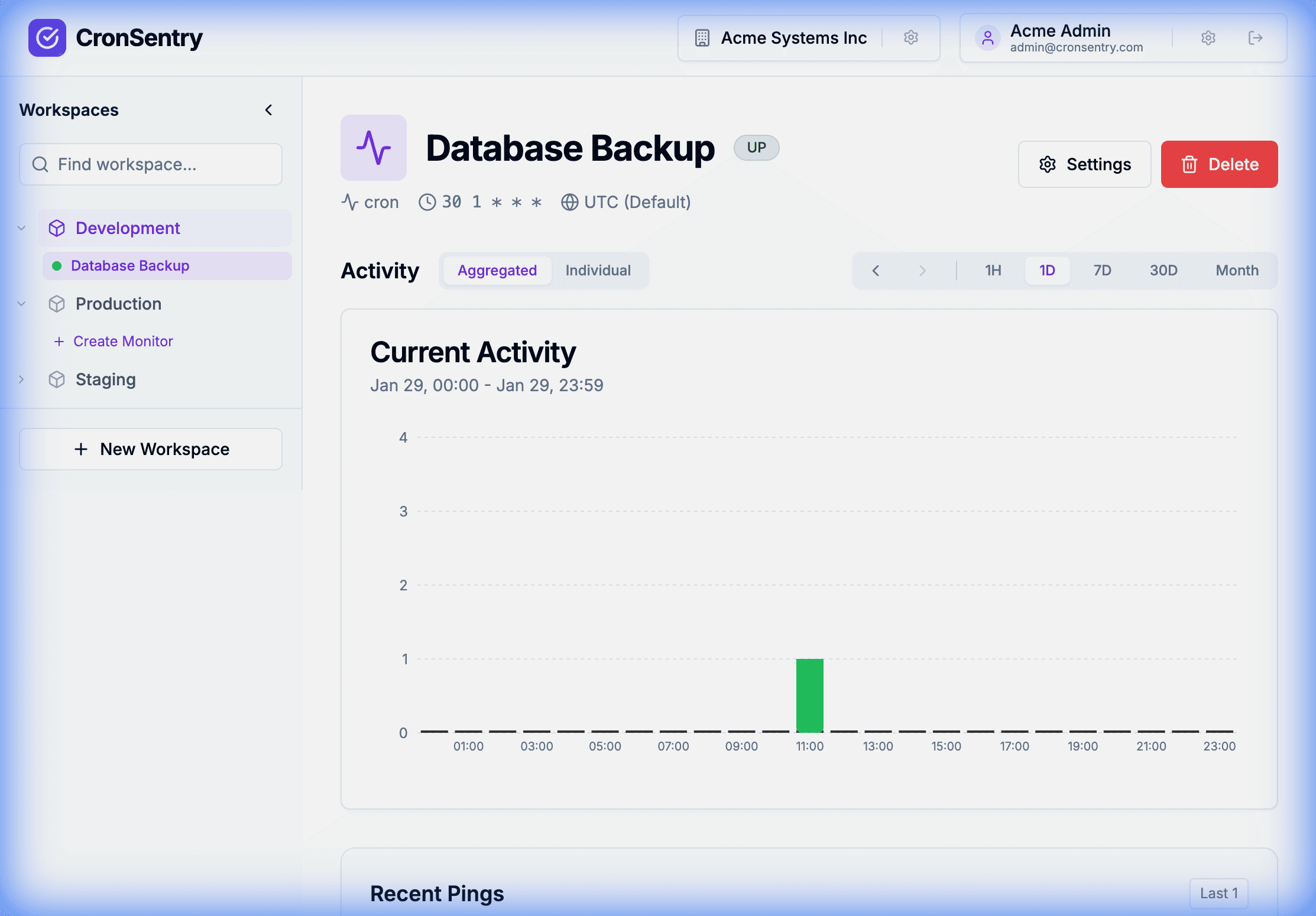
Monitor detail page with real-time activity chart and ping history
Simple Integration
Add a few lines to any script to track job runtime.
# Signal job start
curl -fsS https://ping.cronrabbit.com/your-id/start

# Your job runs here...
./backup.sh

# Signal success or failure (duration calculated automatically)
curl -fsS -m 10 --retry 3 --retry-all-errors https://ping.cronrabbit.com/your-id/$?
Works with bash, Python, Node.js, or any language that can make HTTP requests. View all examples →
Alert Integrations
Configure integrations at the environment level, then override per-monitor as needed.
How it Works
Three simple steps to peace of mind.
Create a Monitor
Define your schedule, grace period, and choose your alert channels.
Add the Ping
Add a simple HTTP request at the end of your cron job or script.
Sleep Soundly
We'll alert you if things go silent. Otherwise, enjoy the quiet.
Clear Status at a Glance
Know exactly what's happening with your jobs.
Pro Tip: Heartbeat Visuals
Monitors in your sidebars also use vibrant "heartbeat" icons that pulse with status colors. UP monitors show a sharp Emerald beat, while LATE or DOWN monitors transition to Amber and Rose.
Trusted by Developers
Join teams who never worry about silent failures.
"We found out about a failed backup 3 days too late. With CronRabbit, that never happens anymore."
— DevOps Engineer, Startup
"The duration tracking feature helped us catch a job that was taking 10x longer than expected."
— Data Team Lead, SaaS Company
"The environment hierarchy and role-based access is perfect for our multi-team setup."
— CTO, Agency